ECAM
by GardaWorld
AI-driven live video surveillance, rebuilt for the people who watch it 24/7.
TL;DR
- The brief was “make it beautiful, and add mobile.” I turned it into two real problems: operators were marking alarms, not resolving them — and two roles were sharing one interface.
- I proved the thesis on one screen, the alarm profile. Its reception became the mandate to rebuild the web console and ship native mobile.
- 1,000+ screens and versions, 2 user roles, 2 platforms — all on a three-layer token system mapped to Tailwind and React.
- Role
- Lead Product Designer, end to end
- Timeline
- Jan 2024 – Mar 2025
- Platform
- Web, iOS, Android
- Tools
- Figma, FigJam
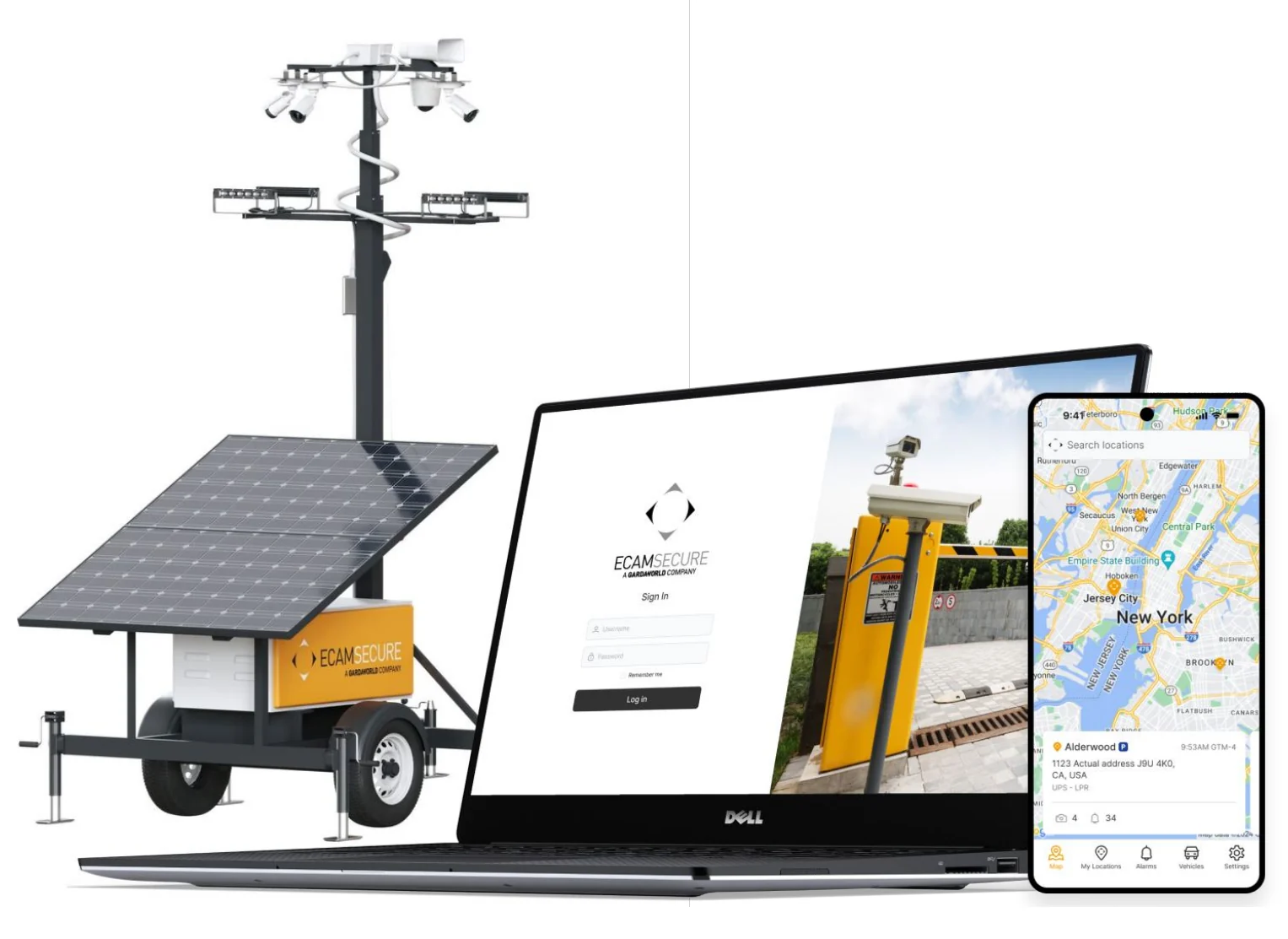
ECAM is one of the largest live video surveillance operations in North America. The AI watches the cameras and raises an event; an operator decides what it actually is — a vehicle that belongs here, or one that doesn't. Deciding usually means looking: opening that camera live, or going back through earlier footage. Admins set up the units, cameras and sensors behind it.
I was the product designer end to end — discovery, interaction design, visual design and the design system, on web and native mobile — from the first audit through to the mobile launch. Web version 2.0 was in development when I moved to another GardaWorld product. I worked directly with software engineers, internal stakeholders and external integration partners.
1,000+ screens & versions · 2 user roles · 2 platforms
The user problem, as I found it
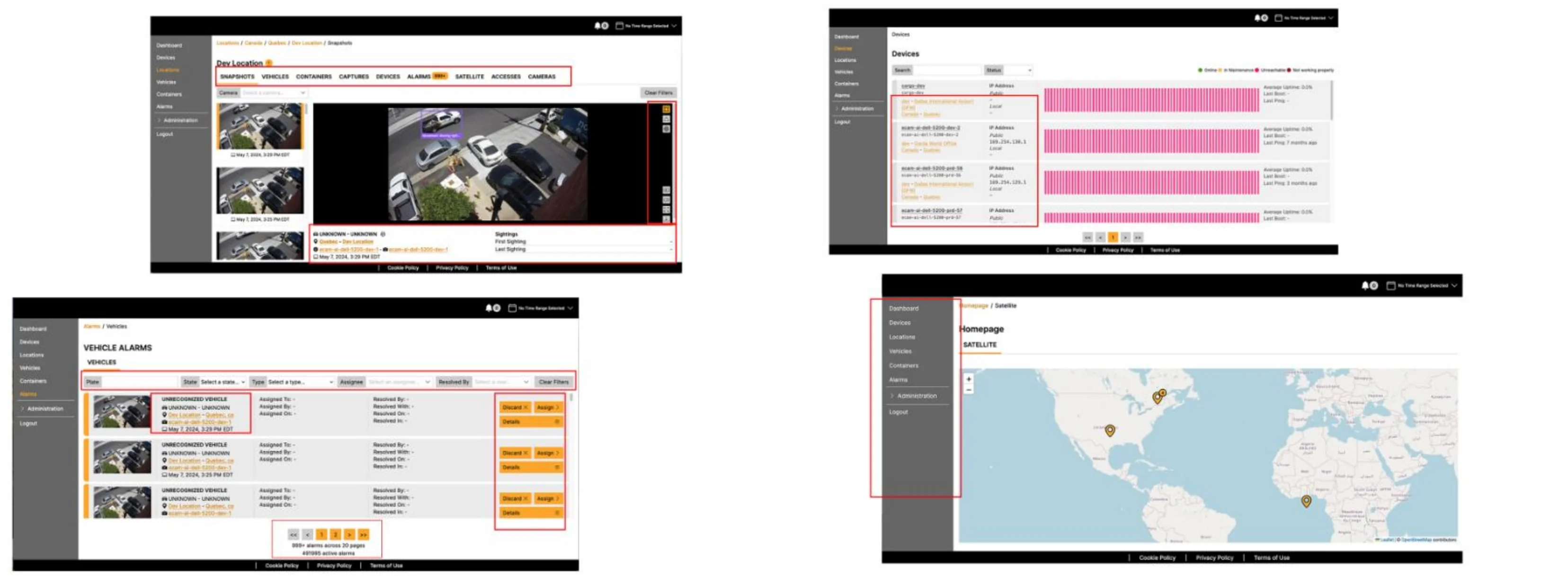
I audited the legacy console screen by screen and marked every place a monitoring operator or admin had to stop and think. The red boxes are those stopping points.
What I knew, and what I didn't
The monitoring centers were in India and the Philippines. I was in Montreal, and I never sat with an operator. What I had was the people around them — and a chain: my rough screens went to the operators through the Director of Software, who was acting as product manager, and their reactions came back to me the same way.
What I had
- A screen-by-screen audit of the legacy console
- Rough screens shown to operators by the Director of Software, with their reactions passed back
- Continuous feedback from product management, software engineering and IT
- Existing user feedback and support complaints
- Engineers who knew exactly where the system broke and why
What I didn't have
- A single direct conversation with an operator
- Watching a real shift in the monitoring center
- Any measurement of errors or handling time before the redesign
- A researcher, or proper usability sessions
Feedback through someone else is not research. But it still caught things I could not have invented — like the alarm wording being written for engineers, not for the people reading it at 3am.
The people who built it were my best source
The engineers had been inside ECAM for two-plus years before I arrived. They knew things about the system that were written down nowhere — not in the product, not in any document. So they were never a handoff at the end of my process; they were where most of what I knew came from.
- They lived in my Figma files. Comments, questions and corrections landed on the frames while I was still drawing them. Every day, not at review time.
- They knew what the product couldn't tell me. Why an object behaved the way it did, what was expensive to query, what would break at scale.
- The architecture was moving too. They were rebuilding underneath me while I redesigned on top, so every decision had to work for the system they were heading toward — not just the one that existed.
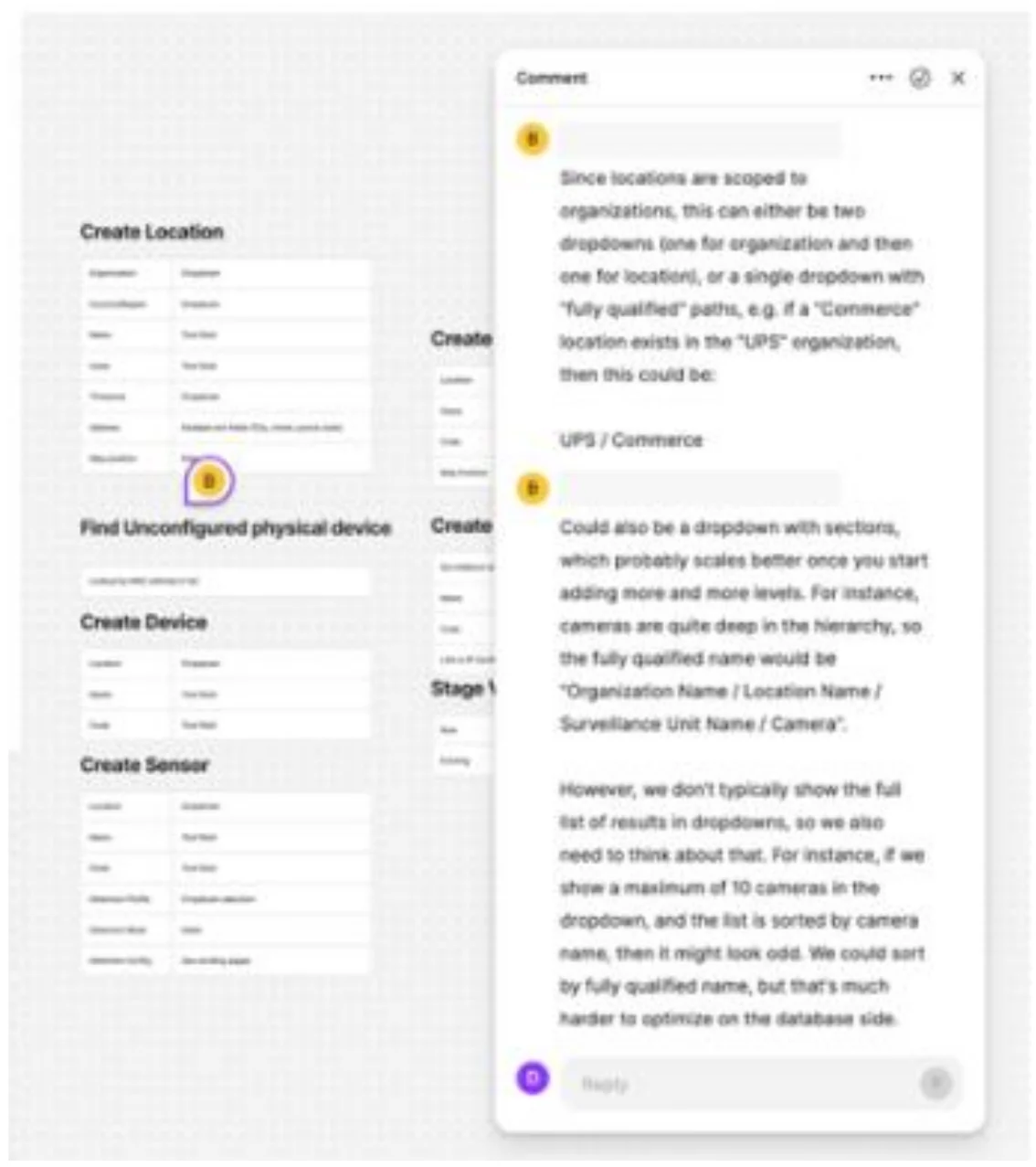
No operators, but two years of system knowledge sitting next to me the whole time.
Two problems, one product
No product manager, no business analyst. The complaints existed — turning them into problems was my job. What I actually designed against:
01
Operators were not really resolving alarms — they were marking them.
02
Operators and administrators had different responsibilities, but they shared the same interface.
The business goals behind it
Nobody handed me a business case. These were the goals as I understood them at the time — assembled from the audit, the engineering conversations and what the product was being sold to do.
01
One console the business could sell
Enterprise customers were buying the platform, not just the monitoring service. Consistency wasn't a craft preference.
02
Reduce error in alarm resolution
Every mis-resolved alarm is a service failure and a liability exposure in a security contract. Error rate is a commercial number, not just a UX one.
03
Extend to mobile for the field
Vendors and customers needed the same answers outside the monitoring center — which is what made mobile a product line, not a port.
04
Make the estate manageable at scale
Thousands of devices across a continent. Admins needed to onboard, configure and monitor without escalating to engineering.
All of it came back to the same consequence: slower response times, and more opportunities for error during critical situations.
Two users, two different jobs
There are only two roles in this product. Admins also act as supervisors, so oversight sits with them — and the legacy product treated both as one audience with different permissions.
Operators
Front line, 24/7
- Resolve events fast, and correctly
- Decide if a vehicle is allowed, blocked or unknown
- Open the camera live or go back through earlier footage to judge the call
- Escalate when it's real — police, fire, ambulance — and record what happened
Admins
System owners and supervisors
- Set up surveillance units, cameras and sensors
- Device health across everything they own
- Assign operators, roles and access
- Historical activity and the audit trail
The tension I had to resolve: an operator needs one decision made right, fast. An admin needs control over everything underneath. Those pull in opposite directions inside one interface.
From what I found to what I decided
The must-have list came out of the audit, the relayed operator feedback and the engineering conversations — and it settled every scope argument that followed.
- Operators hesitate at the moment of resolutionEvidence and decision co-located on one screen, with structured outcomes replacing free text
- Nobody can find the critical tool under time pressureAn explicit depth order — three levels from dashboard to resolve action
- Navigation changes shape between rolesRole changes depth, never shape — and controls you can't use are removed, not disabled
- Configuration is buried inside a deep object modelCreation flows that teach the dependency — unit, then camera, then sensor — instead of exposing the hierarchy
Anything not on the must-have list had to earn its way on by displacing something else.
Mapping the whole system before drawing a screen
I mapped the end-to-end incident workflow, found where users were losing context, and redesigned the experience around the operator's decision-making. Rather than individual screens, I focused on helping people understand what happened, what needs attention and what to do next.
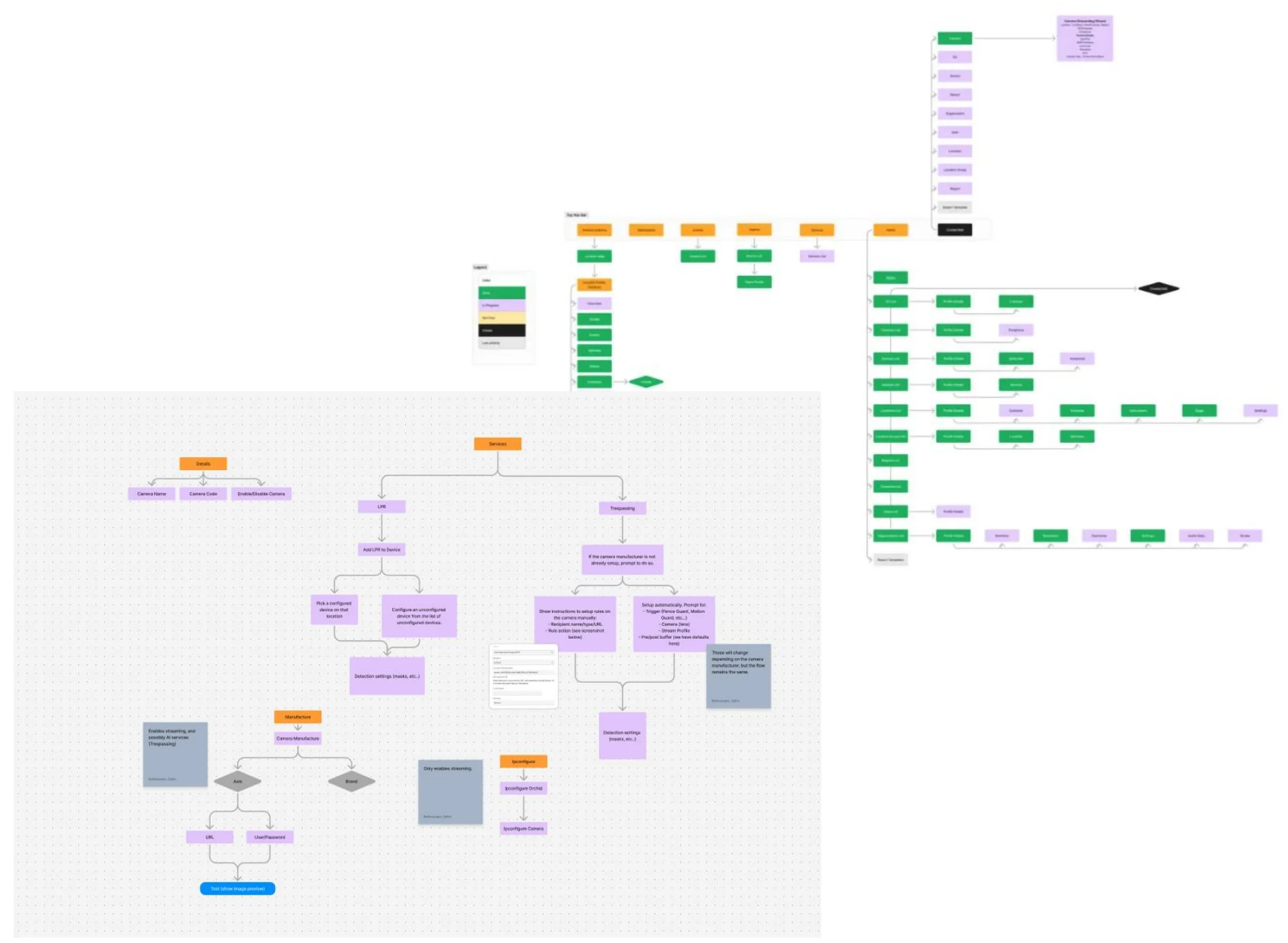
What has to exist before you can add a camera
When an admin adds a camera, what has to be there already? A camera lives inside a surveillance unit, the unit belongs to a location, and the location sits under an organization and under a country and region.
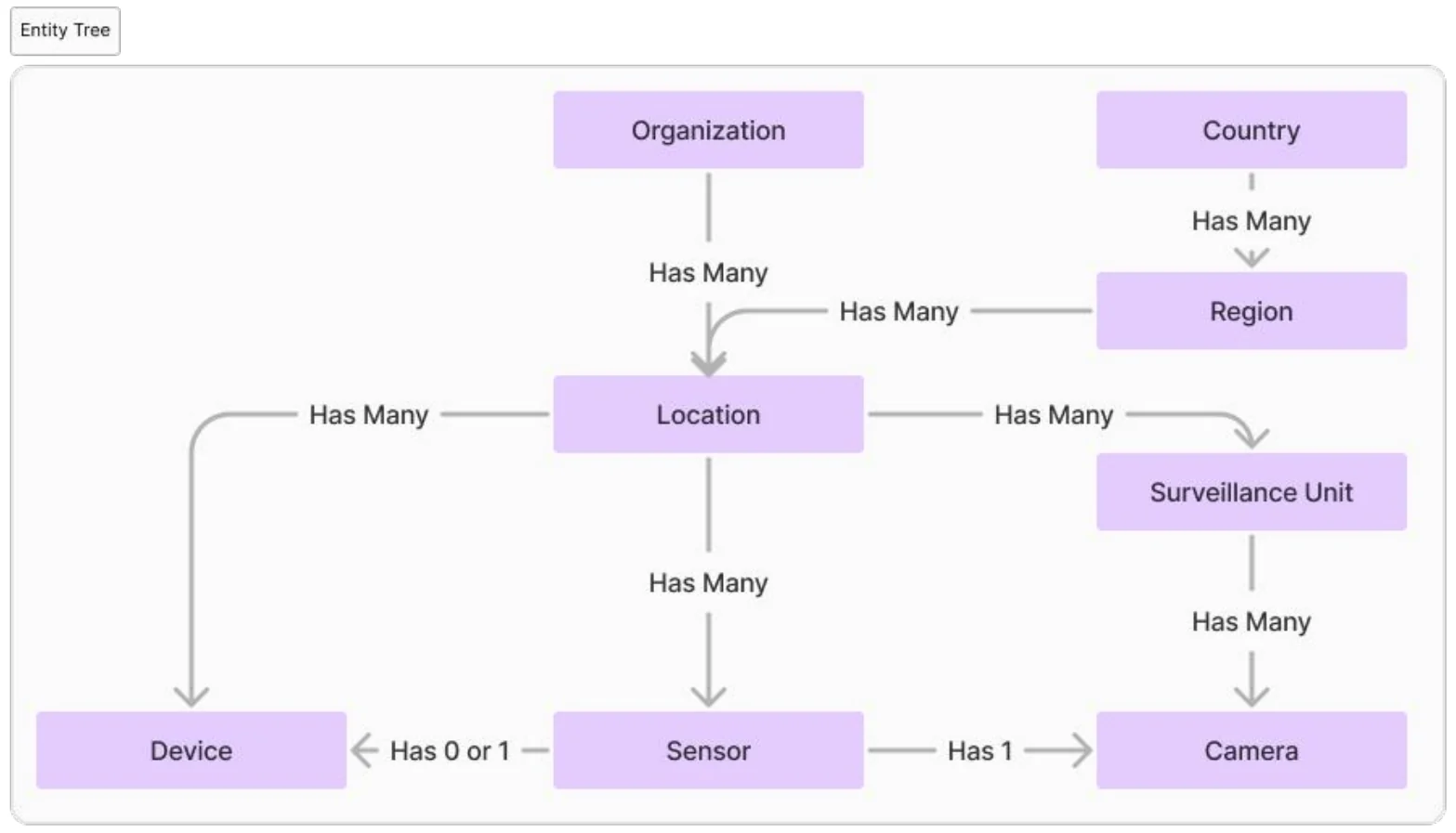
- Nothing can be created out of order. No unit, no camera. No camera, no sensor. Every creation flow had to teach that order without making anyone read this diagram.
- A camera is a small setup of its own. It carries its own IP configuration, video stream, manufacturer and set of services — so “add a camera” is never one field.
- Engineering shaped the naming. Full paths like Organization / Location / Unit / Camera are precise but expensive to sort, so a dropdown caps how many it renders. A database constraint arriving as an interaction decision. Context supplies the prefix: you're already inside a location, so the location never repeats itself.
I started with one screen, not a redesign
I had a visual brief and a two-sentence problem statement nobody had asked me for. The way to get permission to rebuild a product is to prove the thesis on the smallest surface that matters — so I took the alarm profile, the screen where the errors actually happened, and changed four things about it.
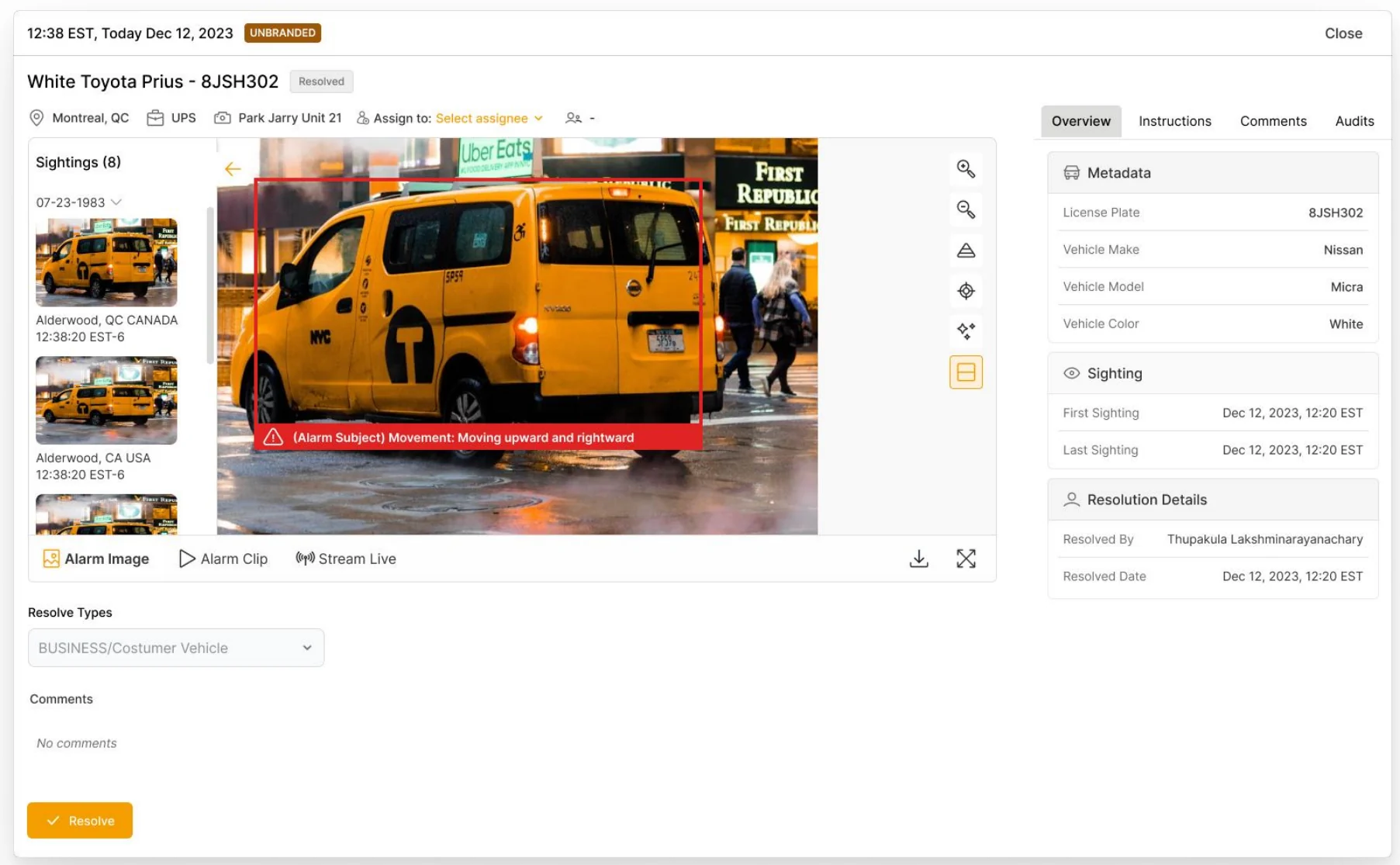
- Ranked the information, hid nothing. Decision-critical evidence first; secondary detail still reachable, but no longer competing. Nothing was removed — it was ordered.
- Rewrote the language. The alarm copy had been written by engineers, in system terms.
- Kept it low fidelity on purpose. No visual polish, so the reaction would be about whether the screen made the decision easier — not whether it looked better.
- The answer came back immediately. They wanted to use it. That response turned the brief from “make it beautiful” into a mandate to rebuild.
Alarm list, assignment, administration, stations, streaming and mobile all followed from one screen earning trust.
Same system, two different jobs
The second problem, solved. Two roles were sharing one interface with no clear line between them, so I rebuilt it: a role changes the depth you see, never the shape of the product.
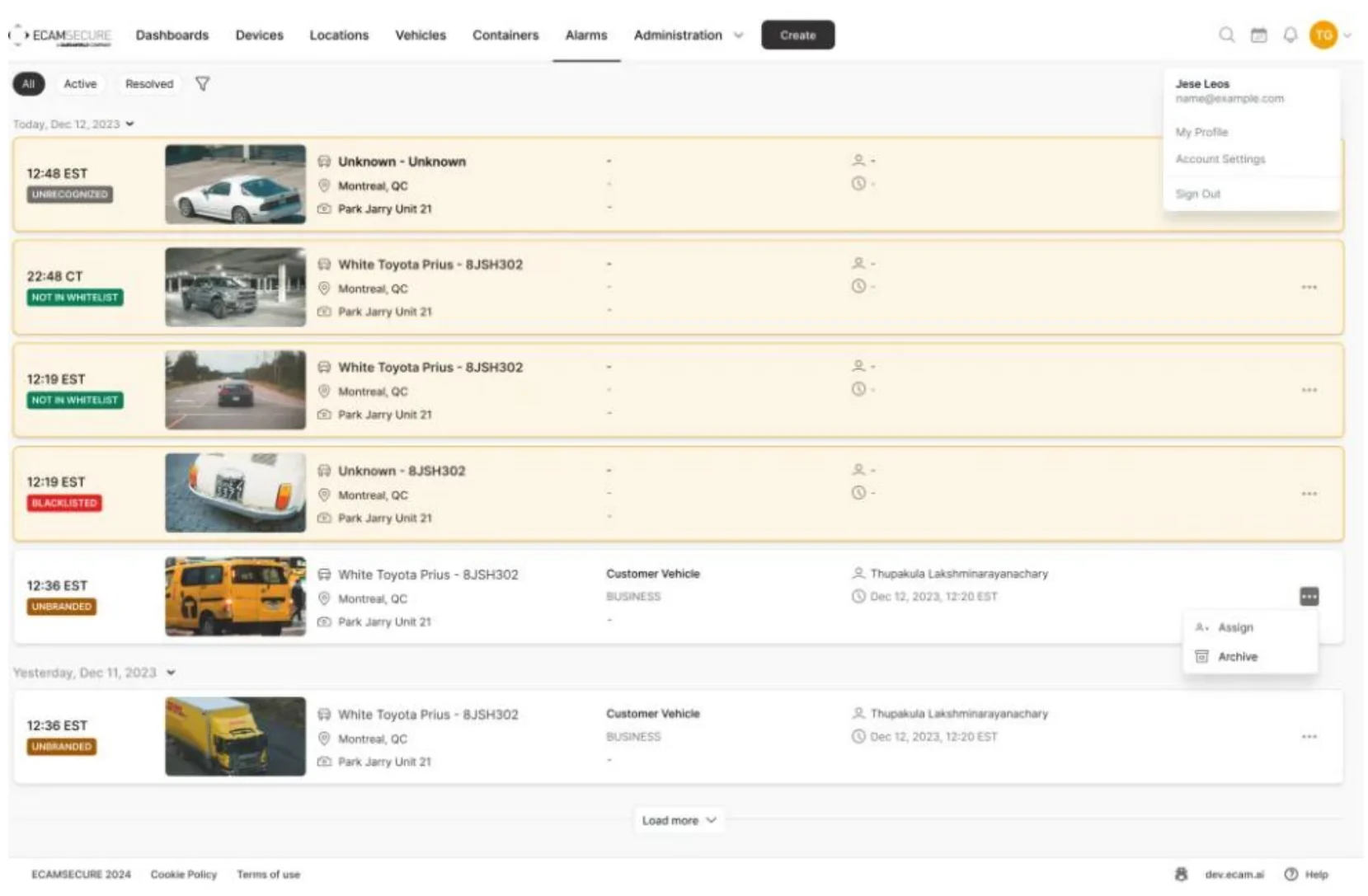
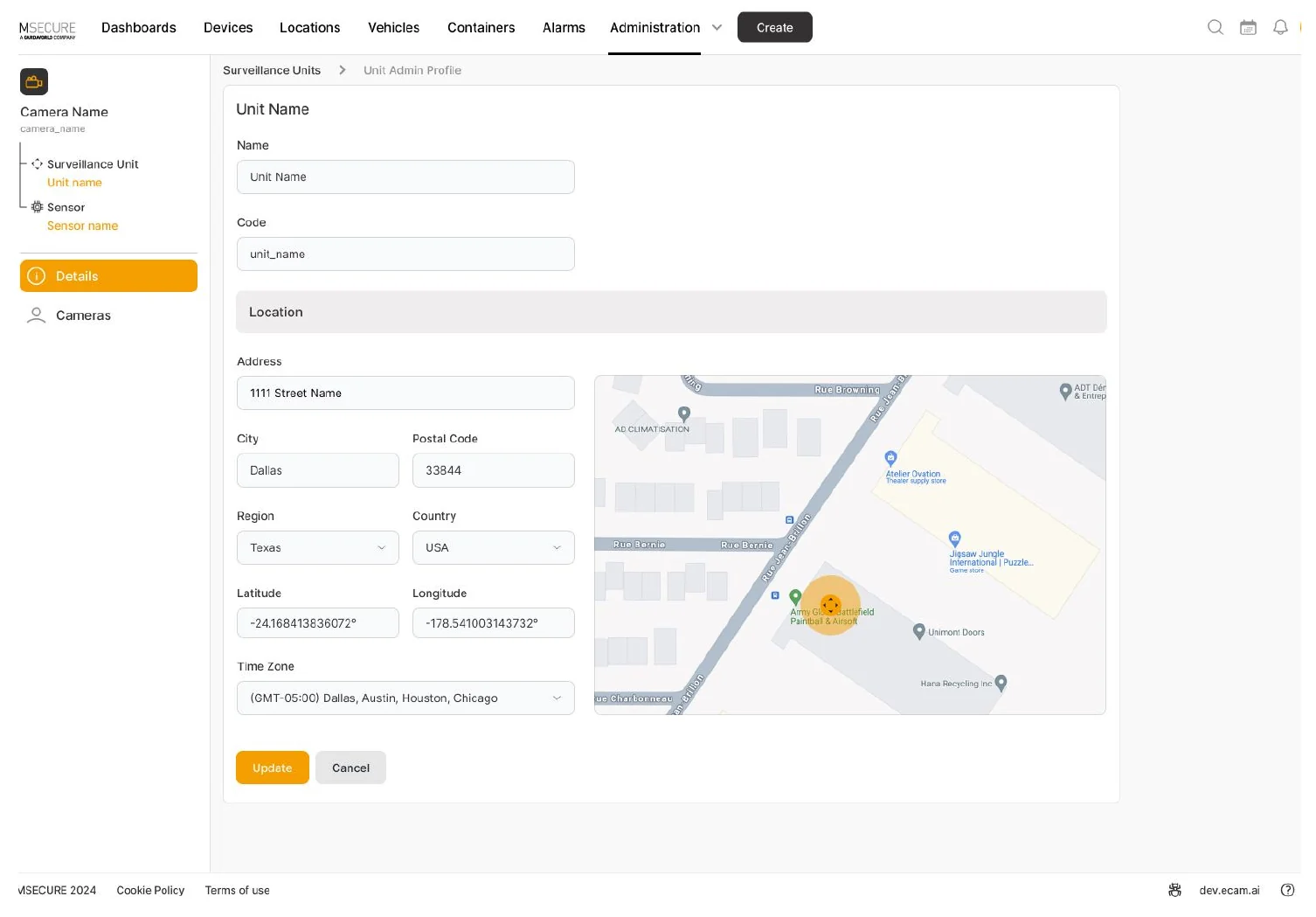
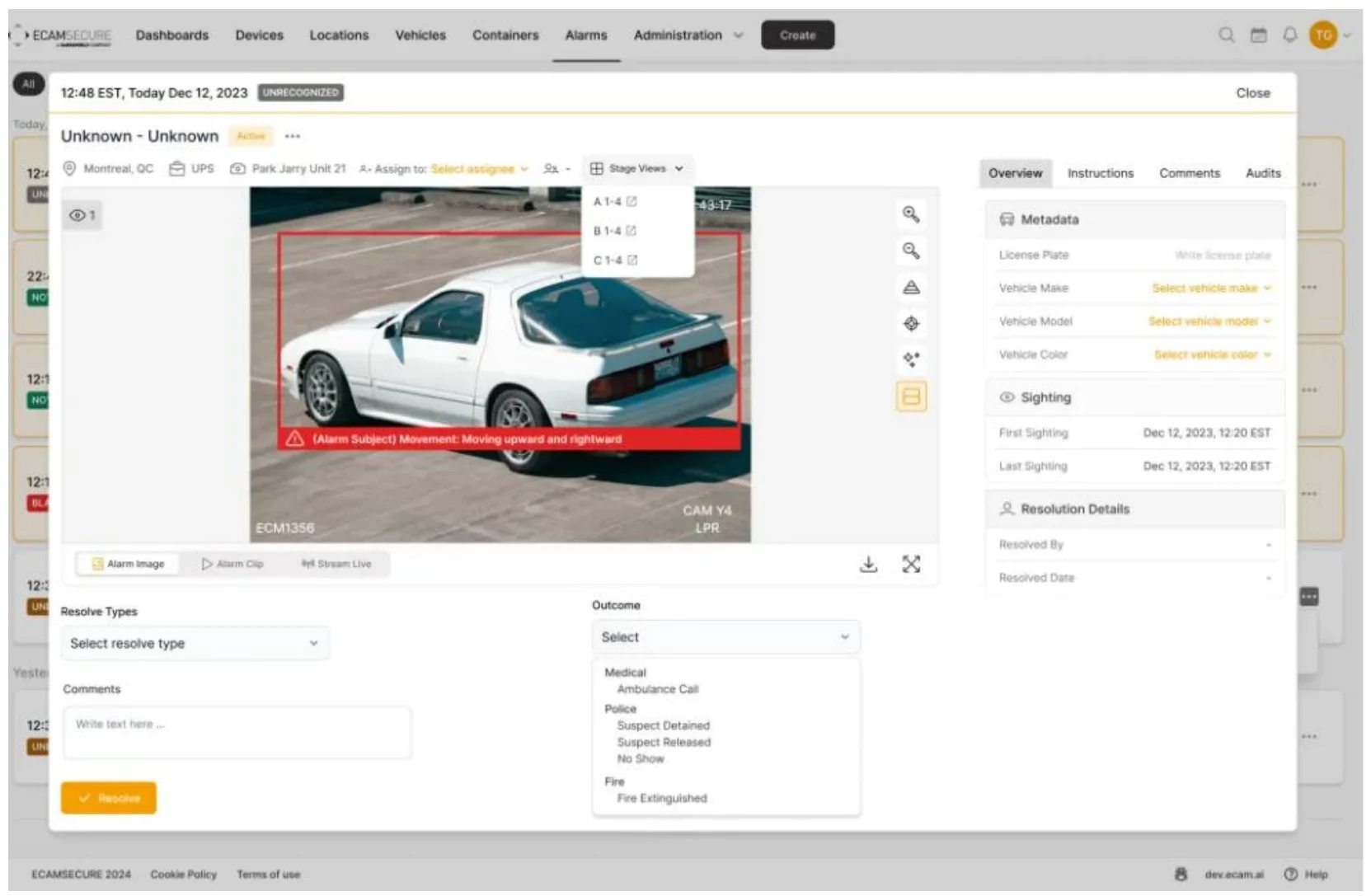
The core flow: see the alarm, judge it, resolve it
Resolution was where the mistakes happened, so it became one screen — and not a form. The alarm arrives as a still, but the operator can play the clip from the moment it fired, or jump straight to the live camera. On top of that: zoom, the detection masks so they can see what the AI saw, and image enhancement for a dark frame. Then a structured outcome — Medical, Police, Fire, each with sub-outcomes — instead of an empty text box.
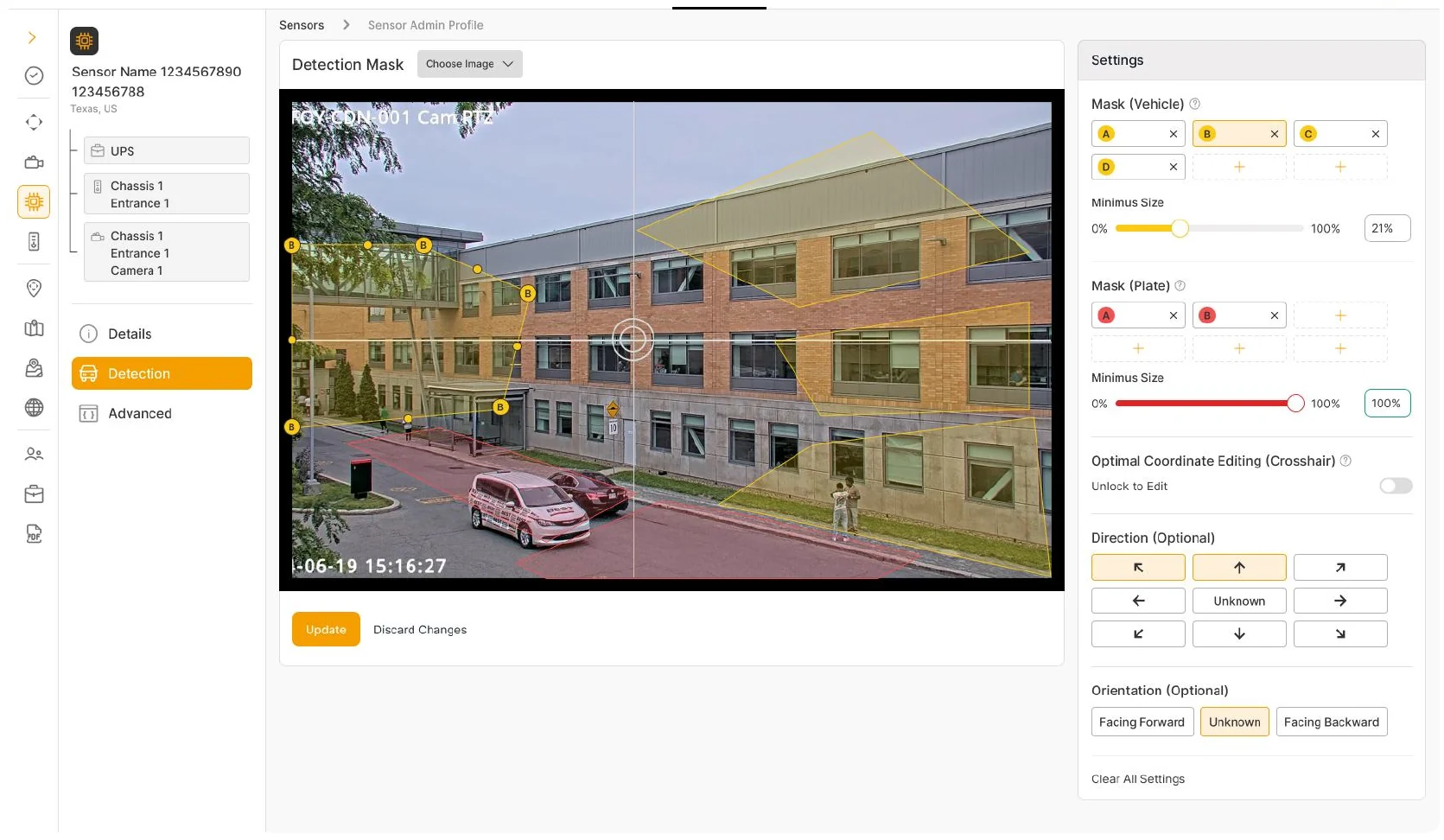
Designing the behavior of the AI, not just the UI around it
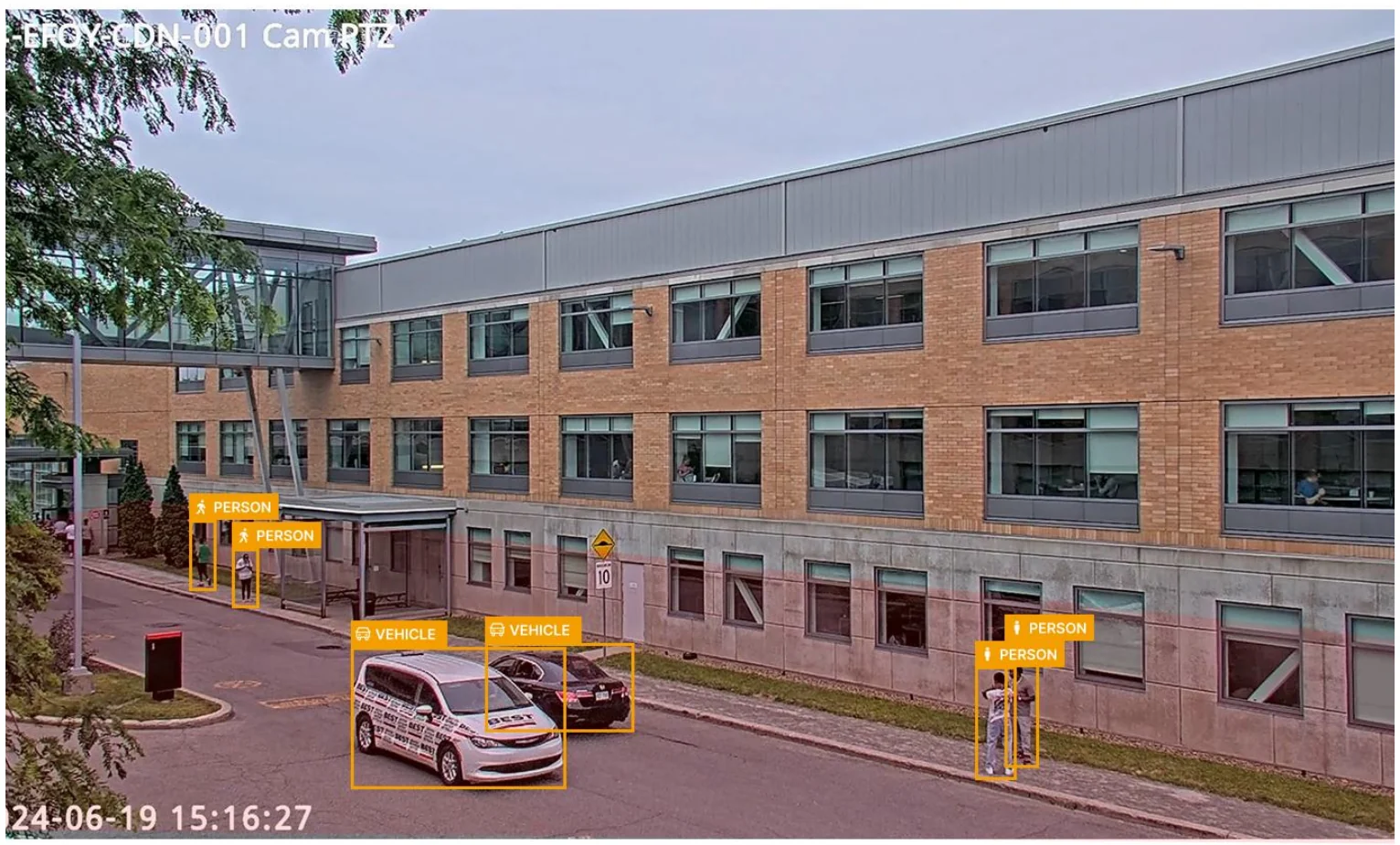
The product's real output is a detection. Fire on a cat and operators drown in false alarms; set the bar too high and you miss a person. So the settings live on the camera picture itself: an admin drags out the zones that matter, says what should be detected inside each one, and in which direction. A model parameter becomes something you can see and draw.
Visual design: a system built to survive 1,000+ screens
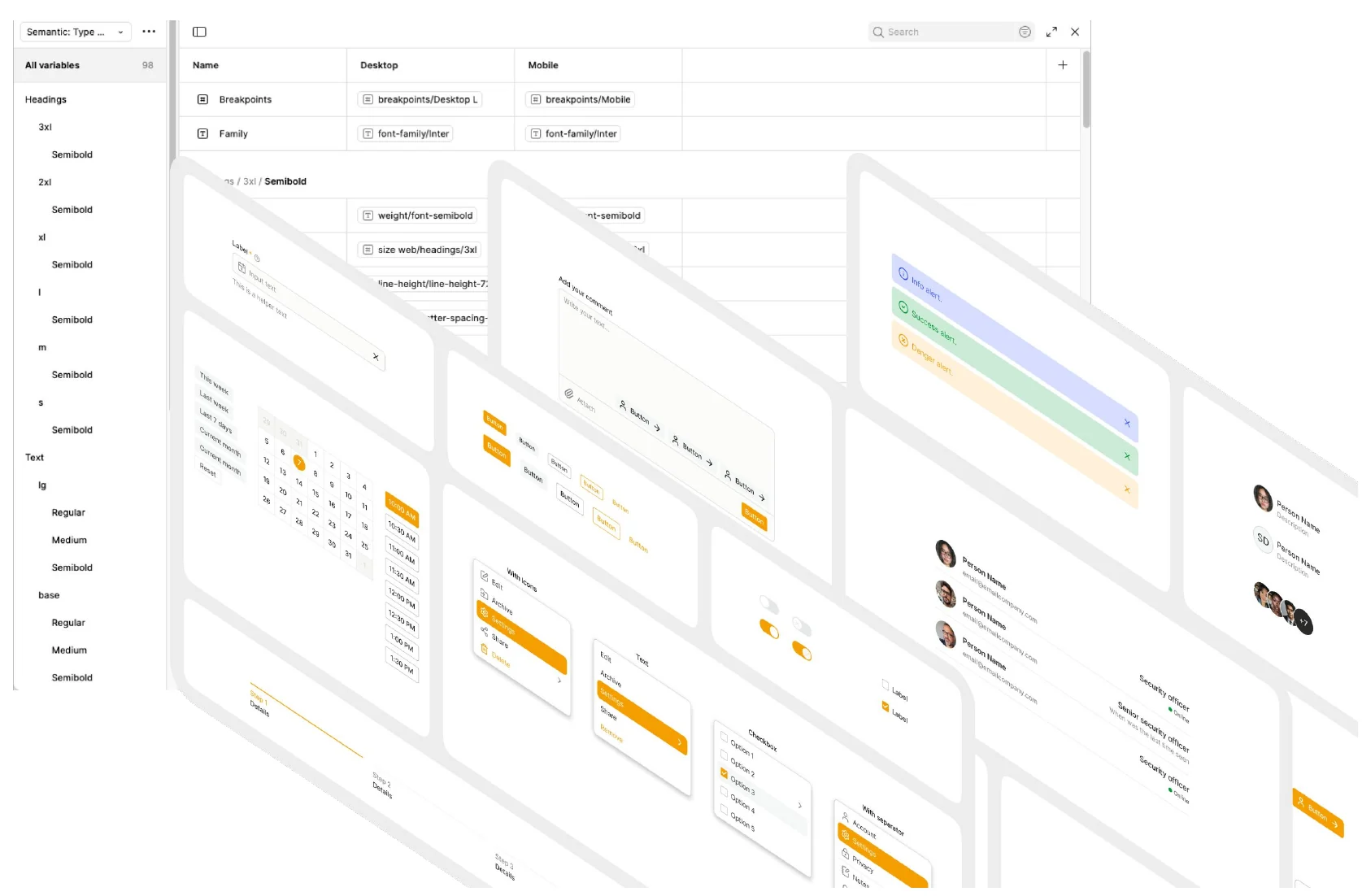
There was no system to extend. Nothing in the codebase was tokenized — colors and spacing were written per screen, which is the real reason 1,000 screens had drifted apart.
- Three token layers. Primary → semantic → component. A status color is named for its meaning, so it can change once and change everywhere.
- Built to match the stack. Tokens and components mapped to Tailwind and React, so what I documented is what engineering shipped.
- Accessibility. The ECAM palette, signed off by GardaWorld marketing, then fixed for contrast — it was never built for a dark monitoring room.
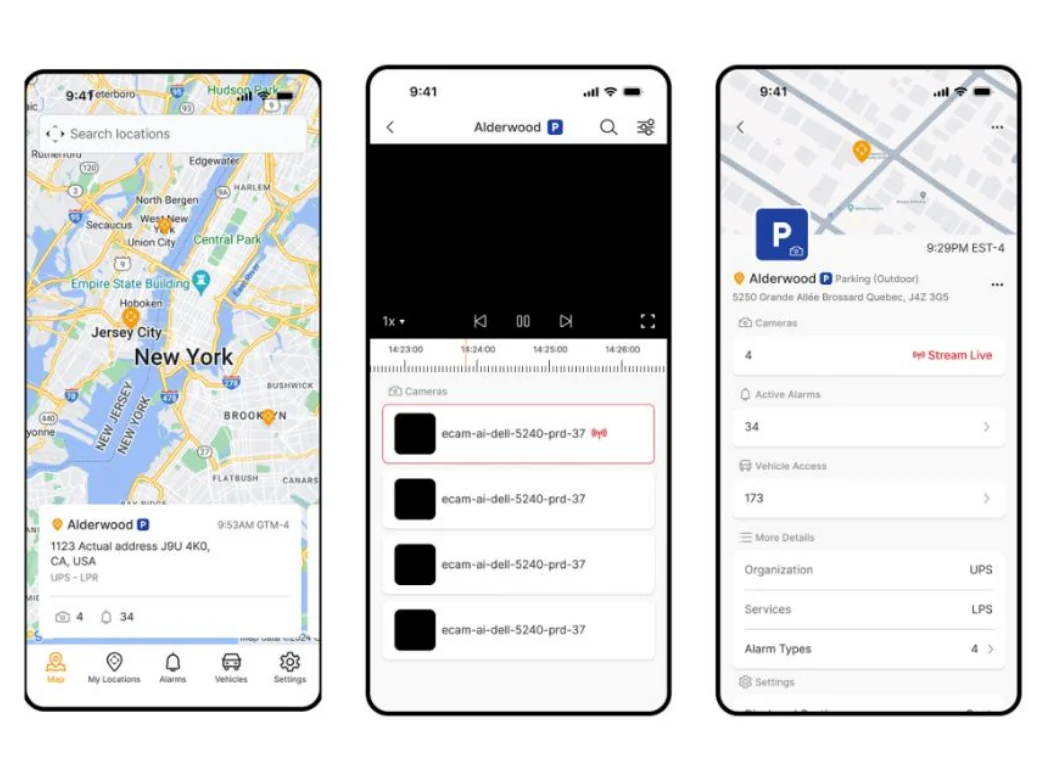
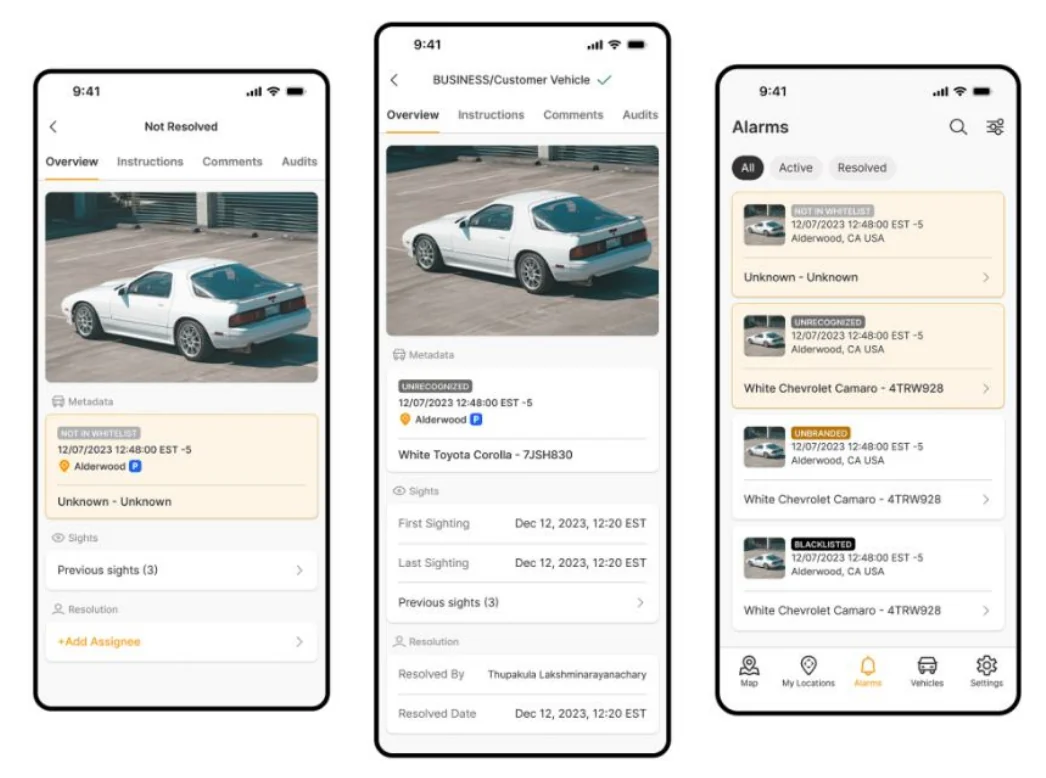
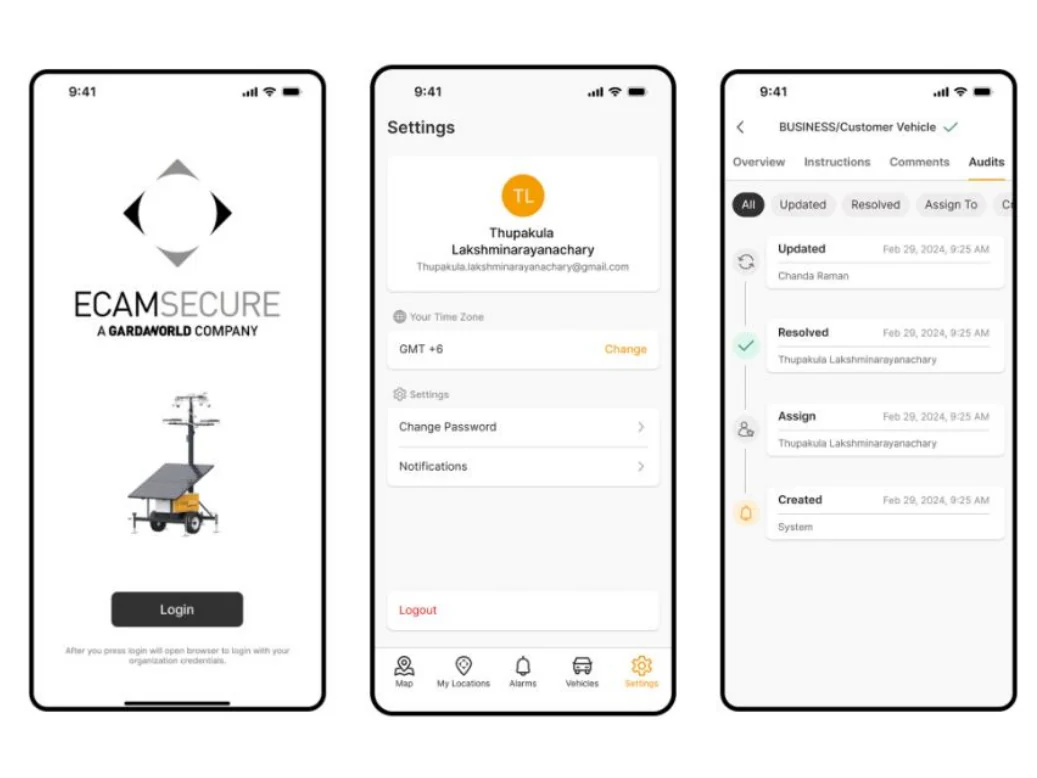
Mobile: the same model, a different context of use
The mobile app carries the same job as the web console — resolve the alarm — because the task doesn't change when you leave the desk. What changes is the context: on mobile the user is standing outside at night, one-handed, deciding whether to walk toward something. The same decision had to survive a much worse environment.
Impact — and what I can honestly prove
ECAM.AI launched on mobile, with web version 2.0 in development. The launch capped a year of iteration and cross-functional work.
Shipped
Released piece by piece — alarm events first, then list, assignment and administration.
Reported back
Operators stopped hesitating over what to do next, and the resolution errors stopped being raised.
Survived a merger
After the Stealth Monitoring acquisition, ECAM was the platform the combined business kept.
Structure
Role now determines depth, not shape — operator and admin views finally separated.
All of that is testimony, not measurement. We never baselined resolution errors or handling time before the redesign, so I can show what changed, not by how much.
What surprised me, and what I'd do differently
How little resistance there was. I expected to spend the year arguing for scope. Instead they saw how many problems they had, handed me the lead, and the feedback from the operator and admin leads stayed positive throughout. The risk hiding inside that: nobody was pushing back.
01
Instrument before I design
Baseline the resolution errors and handling time before touching the interface, so the redesign can be proved rather than argued.
02
Get closer to the operators
More time in the monitoring center earlier, watching real shifts rather than working through internal proxies.
03
Treat AI defaults as a design deliverable
Detection thresholds shape an operator's entire day. Those defaults deserved the same rigor as the interface — and their own testing.
The thing I'd keep: refusing to accept “modernize the UI” as the problem statement.
